
You launched your website, searched for it on Google, and found nothing. Not page two. Not page ten. Nowhere.
Before you panic, know this: showing up on Google and ranking high on Google are two different problems with different fixes. This guide solves the first one: getting Google to find, accept, and display your website at all.
The short answer: To show up on Google: verify your site is indexed (use the site: search or Search Console), set up Google Search Console, submit your XML sitemap, request indexing for key pages, remove any noindex or robots.txt blocks, and give new sites a few weeks. Most invisibility is a technical blocker, not a penalty.
Is Your Site Indexed? How Do You Check?
Start with the 30-second test. In Google, type site:yourdomain.com. If pages appear, your site is indexed and your problem is rankings, not visibility. If nothing appears, Google does not have your pages in its index yet.
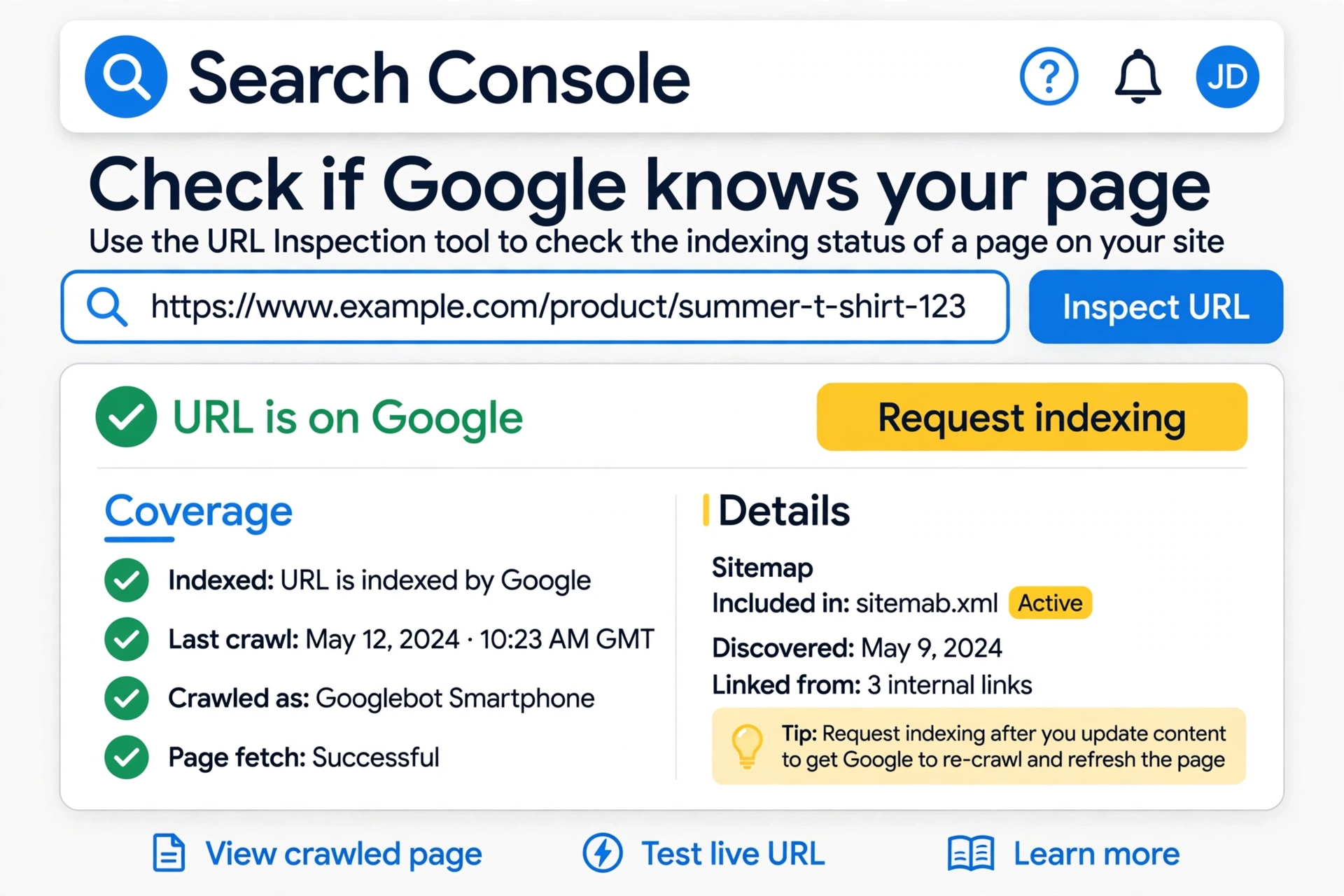
For the detailed answer, use Google Search Console’s URL Inspection tool. Paste any page URL and it tells you exactly what Google knows: indexed or not, when it last crawled, what it saw, and any blocking issues. This is the single most useful diagnostic for invisibility, and it is free.
I see some pages but not others. Is that normal? Yes. Google indexes pages individually based on quality and crawl budget. Thin, duplicate, or orphaned pages often get skipped while your main pages appear. That is a content problem, not a technical emergency.
Check the Pages report in Search Console for the full picture. It groups your URLs by status: indexed, crawled but not indexed, discovered but not crawled, and excluded. Each category points to a different fix, which is why this report beats guessing every time.
How Does Google Find Websites?
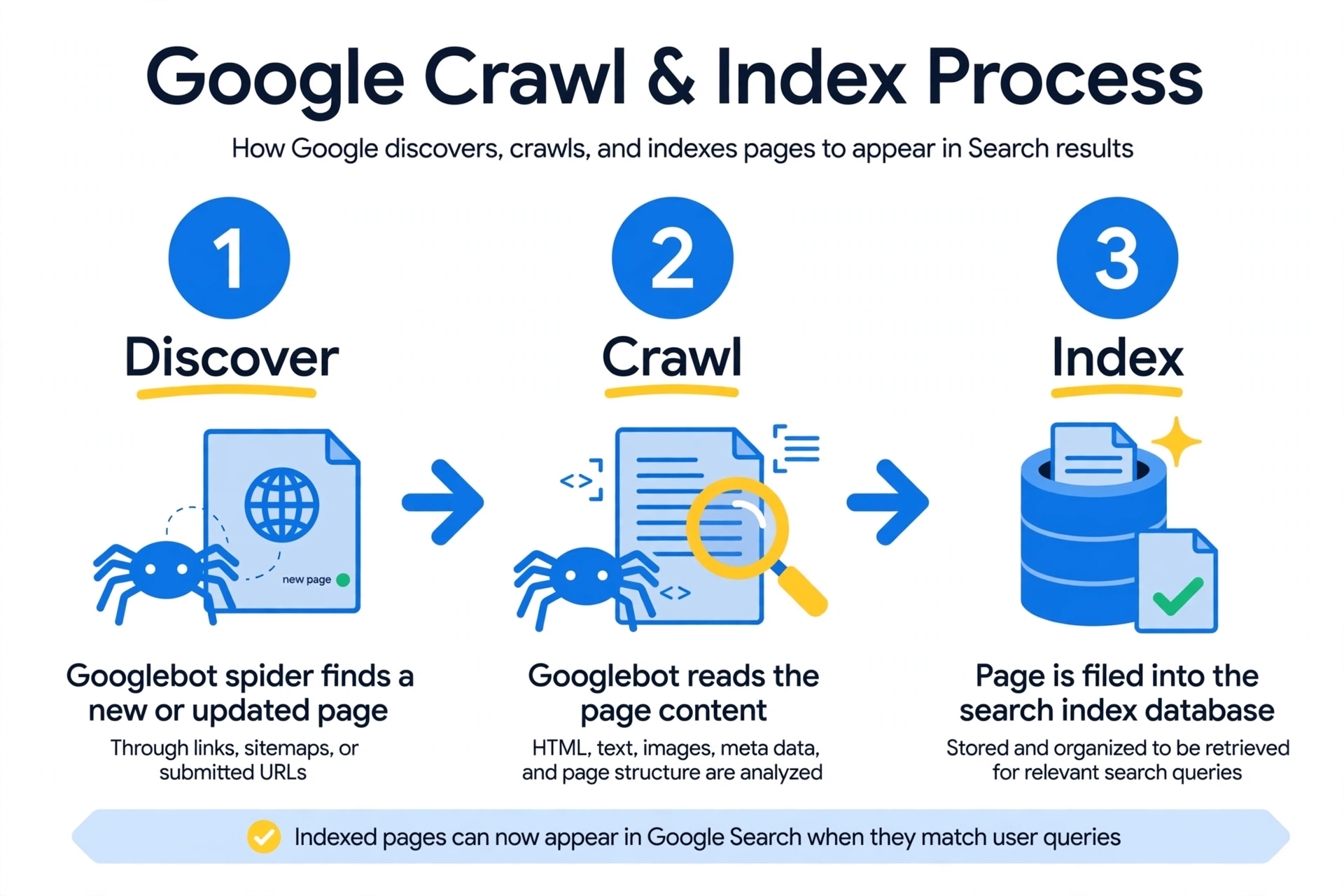
Google does not magically know your site exists. It follows a three-step process:
- Discovery: Googlebot finds your pages through links from other sites, your sitemap, or direct submission.
- Crawling: Googlebot visits and reads each page: the text, images, links, and code.
- Indexing: Google analyzes the page and decides whether to store it in its searchable index. Low-quality, duplicate, or blocked pages get rejected here.
Only indexed pages can appear in search results. If any step breaks, your site stays invisible. The rest of this guide fixes each step in order.
How Do You Tell Google Your Site Exists?
Do not wait for Google to stumble onto you. Introduce yourself properly:
- Set up Google Search Console. Add your site as a property and verify ownership. This is your direct communication line with Google: crawl errors, index status, and manual actions all surface here.
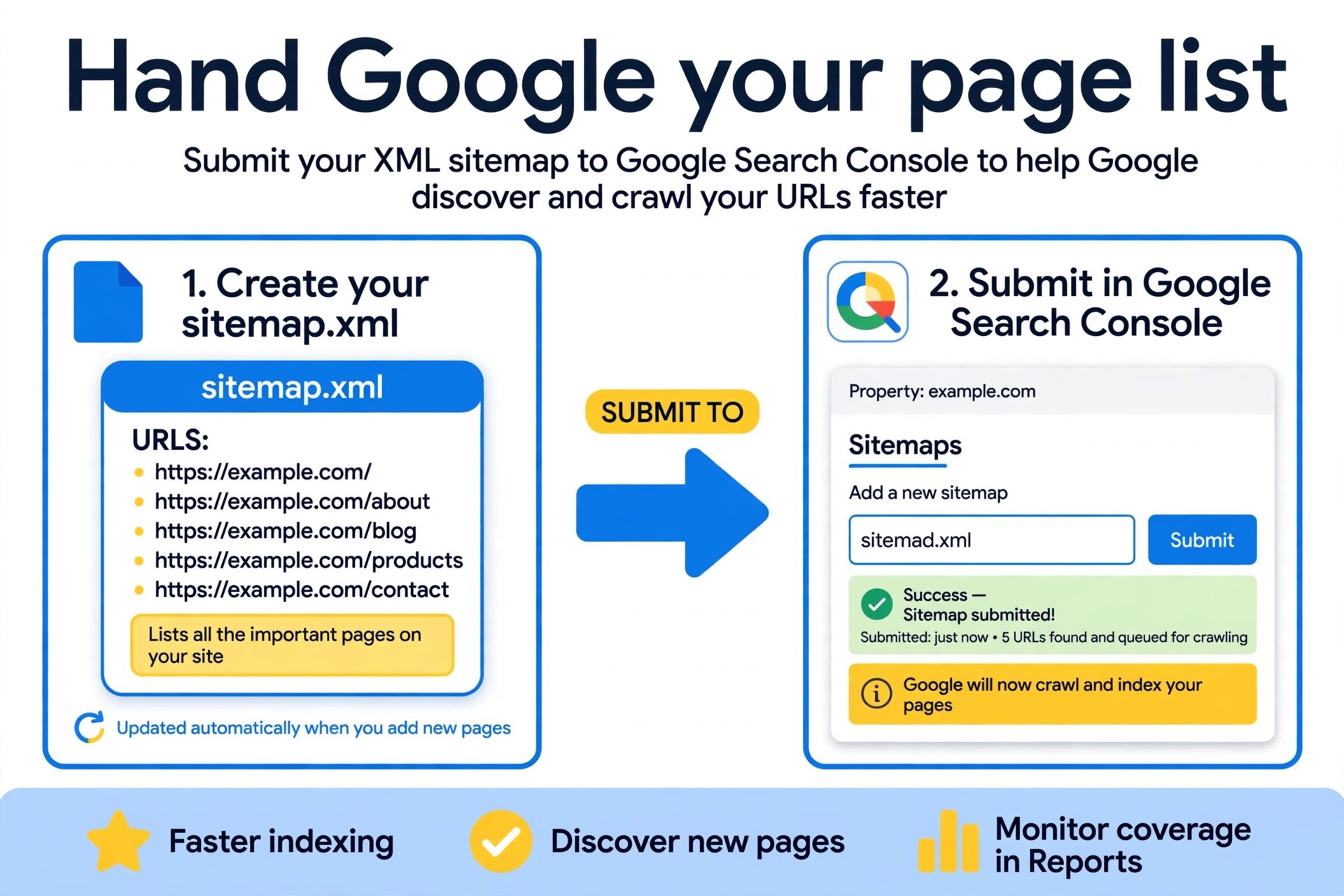
- Submit your XML sitemap. A sitemap is a list of your important pages handed directly to Google. In Search Console, open Sitemaps and submit yours (usually at yourdomain.com/sitemap.xml). This speeds up discovery enormously.
- Request indexing for key pages. In the URL Inspection tool, inspect your homepage and main service pages, then click Request Indexing. Google adds them to a priority crawl queue. Use this for important pages, not every blog post.
- Get a few real links. A link from any indexed site, a directory, a partner, social profiles, helps Googlebot discover you naturally.
One honest caveat: requesting indexing does not guarantee it. Google still evaluates each page for quality before including it. But asking properly removes the waiting game for pages that deserve to be found.
Should I submit every new blog post this way? For your most important pages, yes. For routine posts, a submitted sitemap plus good internal linking is enough. Google learns your publishing rhythm and starts checking new content on its own.
What Is Blocking Your Site From Showing Up?
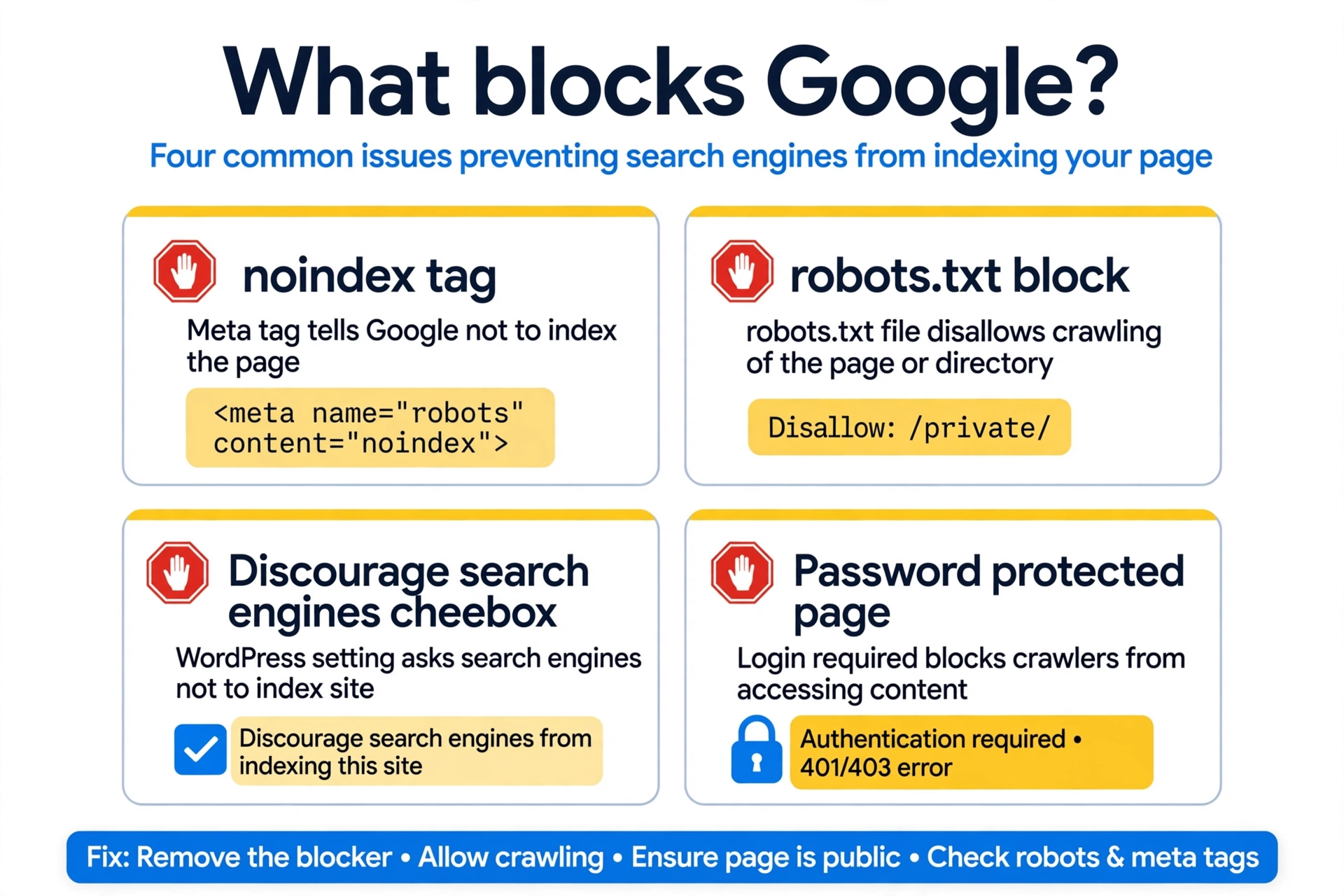
Most invisible sites are blocking Google by accident. Run through these usual suspects:
- WordPress “discourage search engines” setting. In Settings, then Reading, an unchecked-looking box called “Discourage search engines from indexing this site” adds a site-wide noindex. It is meant for staging sites and gets left on constantly. Uncheck it on your live site.
- Noindex tags. Individual pages or templates can carry noindex directives from SEO plugins or theme settings. Check your key pages in an SEO plugin or page source.
- Robots.txt blocks. A single line like
Disallow: /tells Googlebot to crawl nothing. Check yourdomain.com/robots.txt. - Password protection or staging URLs. If your site still requires a login or lives on a staging subdomain, Google cannot see it.
- JavaScript-heavy pages. If your content only renders through JavaScript that Googlebot cannot execute, Google sees a blank page. Test with URL Inspection’s rendered view.
- Manual actions. In Search Console, check for manual penalties, usually from spammy links or thin content. These require fixing the issue and filing a reconsideration request.
- Brand-new domain with zero signals. Sometimes nothing is broken; the site is just days old and undiscovered. Submit the sitemap and wait.
How Long Does It Take for a New Site?
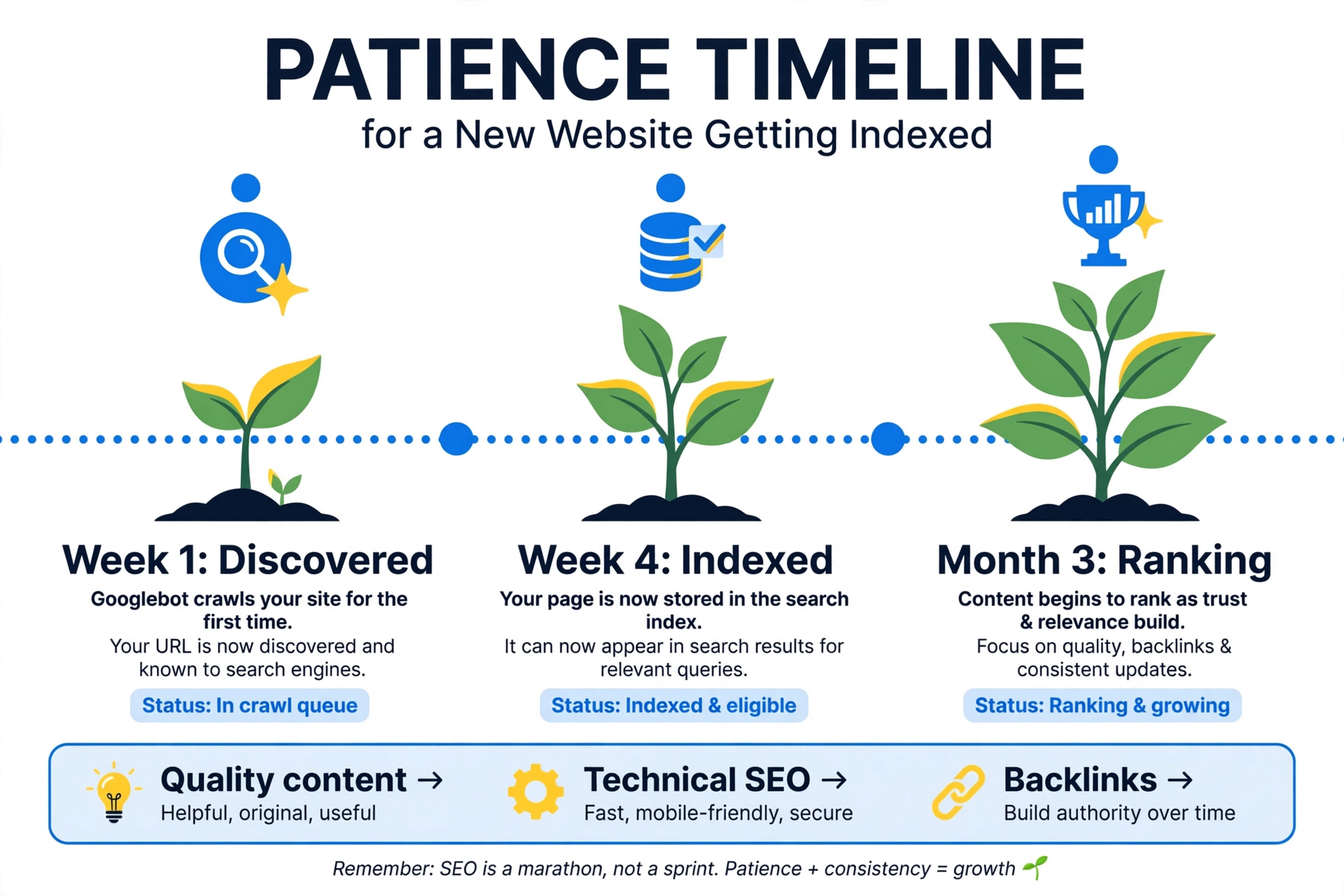
Set honest expectations. After submitting your sitemap and requesting indexing, discovery can happen within days. Full indexing of a new site typically takes two to four weeks. Rankings that reflect your real quality take longer: a few months for a fresh domain is completely normal.
During this period, do the productive thing: keep publishing genuinely useful content, earn a few real links, and resist the urge to change everything weekly out of panic. Patience here is a strategy, not an excuse. Sites that chase tricks during the sandbox period usually just delay themselves.
Speed up the process where you can. Share new pages on your social profiles, link them from your homepage or main navigation, and mention them in your Google Business Profile posts. Every crawlable path you create is another door for Googlebot to walk through.
What If Your Site Is Indexed but Still Invisible?
Then you have graduated from a visibility problem to a ranking problem. Your pages are in Google’s index but buried where nobody looks. The fix shifts from technical to competitive: better content matching search intent, stronger topical authority, quality backlinks, and technical polish.
This is a different game with a different playbook. Read our guide on getting to the top of Google next, or get professional help: Local SEO Rankers diagnoses exactly where sites get stuck, visibility or rankings, every week.
Your two most useful tools here are Google Search Console and Google’s sitemap documentation.
What Should You Do Next?
Showing up on Google is a mechanical process: get discovered, get crawled, get indexed. Check your status, remove blockers, submit your sitemap, and give new sites time. Once you appear, the real work of ranking begins, and that is a game worth playing.
Still invisible after doing everything right? Contact Local SEO Rankers for a free technical audit. We will find the exact blocker and get your site showing up.
Still Have Questions About Getting on Google?
How do I know if my website is on Google?
Search site:yourdomain.com in Google. If pages appear, you are indexed. For page-level detail, use the URL Inspection tool in Google Search Console.
How long does it take Google to index a new website?
Discovery can happen within days of submitting a sitemap. Full indexing typically takes two to four weeks for a new site. Rankings take longer, usually a few months for fresh domains.
Does submitting a sitemap guarantee indexing?
No. A sitemap speeds up discovery, but Google evaluates each page for quality before indexing it. Thin, duplicate, or blocked pages get skipped regardless of the sitemap.
Why is my WordPress site not showing on Google?
The most common cause is the “Discourage search engines” checkbox left on in Settings, then Reading. Also check for noindex tags from SEO plugins and robots.txt blocks.
Can I pay Google to show my website?
You cannot pay for organic listings, but Google Ads puts you at the top instantly while SEO builds. Many businesses run both: ads for immediate visibility, SEO for free traffic.
What is the difference between indexing and ranking?
Indexing means Google has stored your page and it can appear in results. Ranking is where it appears. You must be indexed first; ranking well is the separate, competitive next step.